

Empowering individuals with disabilities and those who are neurodivergent in order to maximize independence and happiness.
Product features:
At First Then Next®, our mission is to revolutionize assistive technology, empowering individuals with disabilities, neurodivergent conditions, and learning differences to achieve greater independence and lead fulfilling lives. Our platform is designed for accessibility, ensuring that clients with diverse needs can easily use our assistive technology software and actively participate in their care and decision-making processes. By including clients as active participants, we empower them and enhance service effectiveness, ensuring responses are tailored to their unique needs, abilities, and preferences.
Our platform leverages advanced AI and a user-friendly Conversational User Interface to provide a wide range of personalized tools designed to meet diverse needs. Key features include our patented Visual Calendar of Daily Activities, which helps users navigate their day with ease and predictability, and Empathetic Interactions, which offer personalized responses based on each individual's bio, strengths, and challenges.
Our Shared Calendar Coordination keeps everyone aligned around a single, real-time view of the day—ensuring families, caregivers, educators, and team members always know what’s happening and what comes next. Community Feeds provide a private, secure space to share photos, videos, and updates with trusted members, strengthening connection and engagement without exposure to ads, strangers, or unwanted content. Our Health and Safety tools ensure daily well-being with detailed medication schedules, real-time alerts for health concerns, and quick access to emergency information for responders.
Additionally, our platform supports Multiple Languages, ensuring clear and accessible communication across diverse linguistic backgrounds. Robust Communication Tools keep families, caregivers, educators, and employers connected through seamless updates and sharing of notes, photos, and progress reports. The Copilots feature allows users to ask questions and receive answers on various topics, such as exercise suggestions, diet tips, mental health guidance, activity ideas, and participation insights. Whether at home, school, work, or in the community, First Then Next is dedicated to enhancing the quality of life for your loved ones, helping them achieve their full potential in every setting.

Visual Calendar of Daily Activities
Personalized visual schedules to help your child navigate their day with ease, creating a sense of structure, calm, and predictability. Clear visual cues that create a predictable routine, helping to reduce anxiety and enhance their sense of security. Tap on images for detailed event information tailored to the individual's needs, with options to have text read aloud or ask questions.
Patent Notice
This website provides notice under 35 U.S.C. § 287(a).
The following product and associated graphical user interface are protected by U.S. patent law:
Display screen or portion thereof with graphical user interface
U.S. Design Patent No. D1,106,259
The First Then Next® Visual Calendar is protected by US Pat. No. D1,106,259 and International Registration No. DM/243842.

Health and Safety
Our platform helps ensure daily safety and peace of mind with personalized health and safety features. Detailed medication schedules and prompts guide timely administration, while personalized alerts address specific health needs like allergies. For instance, if a client is allergic to peanuts, the system can notify staff of the allergy and remind them to carry an epi-pen. Real-time alerts for health concerns allow swift intervention, and emergency information is readily accessible for responders.

Shared Calendar Coordination
First Then Next® keeps everyone aligned around a single, shared view of the day. Family, friends, caregivers, service providers, educators, employers, coaches, and team members can see what’s happening, when it’s happening, and who’s involved—ensuring nothing is missed.
Real-time updates and shared visibility make it easy to coordinate schedules, stay organized, and support each individual throughout their day.

Empathetic Interactions
The platform offers empathetic responses to the individual's feelings, providing comfort and support when they need it most. Responses and instructions are tailored based on the individual's bio, strengths, and challenges, ensuring the best possible support. Specific instructions tailored to the individual's health concerns and activity preferences, helping you provide the best care possible.

Multiple Languages
Supports multiple languages to ensure clear communication with individuals from diverse backgrounds. Enables seamless translation of updates and messages, reducing misunderstandings and enhancing care coordination. Communication is always in the users own language, a Spanish client can send a message in Spanish, and an English speaking support worker can read it in English.

Assistants Functionality
The Assistants functionality in First Then Next® is designed to provide immediate, personalized support and information to users through a wide range of topics. This feature allows individuals to ask questions and receive answers on various subjects, ensuring they have the guidance they need at their fingertips. Users can access copilot Assistants for a variety of needs, such as exercise suggestions, diet tips, mental health guidance, activity ideas, job training, and participation insights, all tailored to their specific needs and preferences. Additionally, staff can use Assistants to ask questions about the client, facilitating better care and understanding. The system leverages advanced AI to provide accurate and empathetic responses, enhancing the user experience. By offering this interactive support, the Assistants functionality helps users navigate their daily activities more effectively, promoting independence and confidence. Whether at home, school, work, or in the community, this feature ensures that everyone always has access to valuable information and support.

Community Feeds
A private, secure space for sharing moments, updates, and experiences with the people who matter most. Post photos, videos, and notes within your trusted community—whether it’s family, friends, service providers, or employers. Feeds can be shared within private groups or kept between specific members, ensuring complete control and privacy.
Designed as a safe alternative to mainstream social media, Community Feeds keep everyone connected, informed, and engaged—without exposure to unknown users, ads, or unwanted content.

Communication Tools
Stay connected with caregivers, educators, employers, and family through seamless updates and sharing. Receive real-time updates on the individual's activities and progress, ensuring you are always connected and informed. Share notes, photos, and updates easily with family, caregivers, staff, educators, and employers fostering a collaborative care environment.

Accessibility Features
First Then Next® is committed to ensuring that our platform is accessible to all users, regardless of their abilities. We include a range of features to support individuals with cognitive, speech, motor, hearing, and visual impairments. For those with cognitive impairments, our platform uses plain language, iconography, and visual recognition to make navigation intuitive. Text is always supported by icons, and activities are visually reinforced to aid recognition and understanding. Users can have all prompt messages spoken aloud, with configurable voices in 77 languages. For individuals with speech impairments, non-verbal communication is facilitated through recognizable prompts and the ability to share photographs. Those with motor impairments benefit from features like keyboard, switch, and eye control compatibility, large button sizes, and voice control options. For hearing-impaired users, text-based communication and visual alerts ensure that important information is never missed. Blind users and those with low vision can use screen readers, customized colors, and adjustable text sizes, with pinch-to-zoom functionality on mobile devices. By incorporating these comprehensive accessibility features, First Then Next strives to create an inclusive environment where everyone can thrive.
 Contact Us
A clearer way to
organize life
together.
First Then Next® combines a visual calendar, private communities, trusted roles, shared content, reports, and helpful AI assistants in one connected experience.

Start with the day. Add the people
and context.
The visual calendar makes the sequence clear. Trusted people add permitted information, preparation, updates, and encouragement—without turning life into a collection of disconnected tools.
First. Then. Next.
A predictable visual sequence helps people understand what is happening now, prepare for what follows, and revisit the information that matters.
- Meaningful event images and familiar people
- Dates, times, sequence, location, and event details
- Photos and videos that help someone prepare
- Read-aloud and device-level accessibility behavior




More than a calendar.
Private communities and teams
Bring the right people together around a family, school, program, team, workplace, or shared purpose.
Roles and permissions
Give each person the access and responsibilities that fit their relationship to the member or community.
Notes, photos, and videos
Keep useful content permitted, recognizable, and connected to the people who need it.
Helpful AI assistants
Use only permitted profile and calendar information to help people understand events and needs.
Reports
Bring together observations, progress, important moments, and useful information across the people who are involved.
Communication and access
Support read-aloud, multilingual communication, assistive technology, and familiar device-level accessibility behavior.
The right information
for the right
relationship.
A member, parent, loved one, teacher, coach, provider, school, employer, or community may each participate differently. Roles and permissions help keep personal information appropriately private.
- Invite only the people and organizations who belong
- Match access to each person’s role and relationship
- Share calendar and profile information only as permitted
- Keep the member at the center of the connected experience
One experience. Different roles.

Members
See the day, prepare, revisit helpful information, and participate with growing confidence.

Parents and loved ones
Coordinate daily life while staying trusted people informed and connected.

Friends and family
Plan together, share encouragement, and participate as part of a trusted circle.
Coaches and
service providers
Support routines, activities, plans, participation, and progress.

Schools and employers
Organize calendars, teams, resources, communication, and community participation.
Create a Team. Share the
practices, plans, and moments that
belong together.
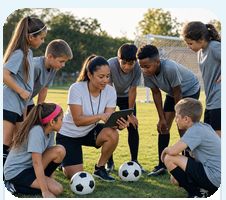
A Team can give athletes, families, coaches, classmates, coworkers, or another trusted group one familiar place to see shared events and useful preparation.
- Build a focused calendar for the group
- Share event details, photographs, notes, and videos
- Help everyone prepare from the same visual information
Bring the right people into the moments
that matter.
Invite someone to participate at a particular event—one practice, dinner, meeting, class, or celebration—without treating every invitation as access to an entire calendar.
Invite someone
Invite someone
Invite someone
Invite someone
The same clear
structure can support
older adults, too.
First Then Next® can help families keep appointments, meals, visits, exercise, routines, and permitted reminders visible while respecting the older adult’s preferences, privacy, and independence.
- Keep appointments, transportation, and family visits organized
- Make medication schedules and reminders easier to revisit
- Coordinate only with trusted people who are permitted to help
- Use meaningful photographs, read-aloud, and accessibility settings
Private and invitation-only.
Connect with an existing community
Contact us and we will help determine whether a family, school, program, team, or organization is already using First Then Next®.
Start a new community
Create a private community for an extended family, school, organization, team, workplace, or another trusted group.
Invite the right people
Use appropriate roles and permissions so people can participate without seeing information that is not meant for them.
Accessibility woven into the experience.
See and understand
Readable information, meaningful imagery, predictable structure, screen-reader support, and device-level display behavior.
Communicate in different ways
Visuals, text, read-aloud, multilingual communication, notes, photographs, and videos.
Navigate your way
Keyboard, switch, eye-control, voice-control, and familiar device-level accessibility settings.
Connect with a community—or start one
of your own.
Tell us about the people, plans, and moments you want to bring together. We will help you understand the next step.
